10 Ways to Fix Midjourney Prompt Blocked Error
Seeing a prompt blocked message in Midjourney can be frustrating, especially when you are trying to create a simple AI image. You write a detailed description, submit it, and expect the image generator to start working. Instead, Midjourney stops the request because its moderation system detects something that may violate its content rules.
If you are searching for how to fix Midjourney prompt blocked error, the first thing to understand is that not every blocked prompt contains harmful content. Sometimes, a single word, a combination of phrases, or an unclear description can trigger the platform’s safety filters.
Midjourney uses automated moderation to review prompts and prevent certain types of image generation. These restrictions help protect users and reduce the creation of harmful or inappropriate images. However, harmless creative ideas can sometimes be flagged incorrectly.
In this guide, we explain why Midjourney blocks prompts, how to identify possible triggers, and what steps you can take to fix common moderation problems. We also cover safer prompt-writing techniques that help us describe creative ideas more clearly without trying to bypass platform restrictions.
Whether you are a beginner or an experienced AI artist, these practical steps can help you understand the problem and avoid unnecessary interruptions.
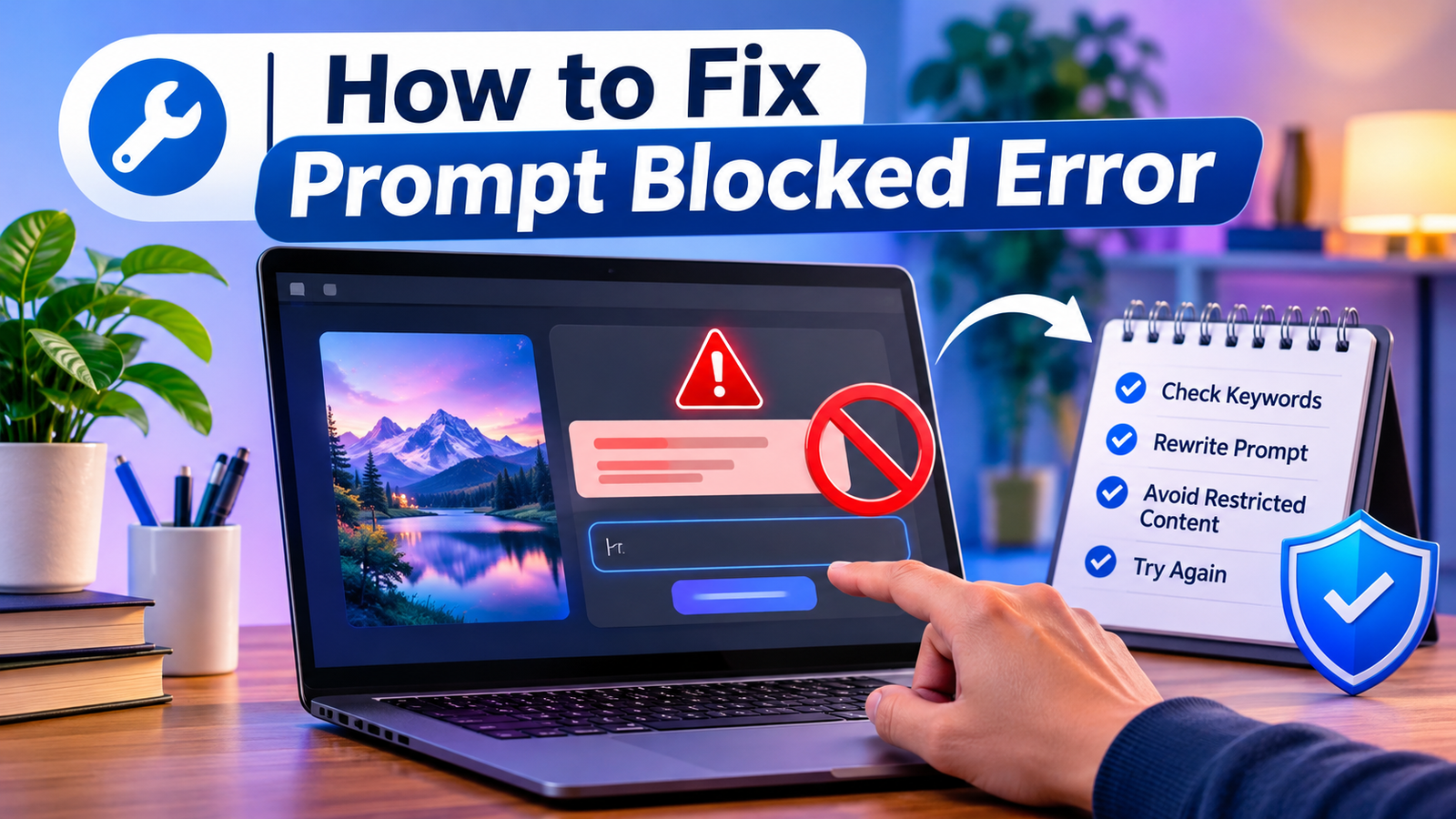
Why Does Midjourney Block Prompts?
Before we try to fix the issue, we need to understand why it happens. Midjourney does not simply check every prompt against a fixed list of forbidden words. Its moderation system looks at the meaning and context of the words used together.
This means a word that is harmless in one situation may raise concerns in another. For example, a description involving a fictional battle scene may receive closer attention because of its wording, even if the user’s intention is artistic.
Here are some common reasons why a prompt may be blocked.
1. Sensitive or Inappropriate Descriptions
Midjourney does not allow adult content, graphic violence, or other images that break its community guidelines. Prompts that describe these subjects may be blocked before image generation begins.
2. Unclear Word Combinations
Sometimes, ordinary words can create an unintended meaning when placed together. A prompt may describe a harmless scene, but the moderation system may interpret the combination differently.
3. Real-Person Image Requests
Requests involving real people can receive extra attention, especially when the intended image could be used to harass, abuse, defame, or harm someone.
4. Uploaded Images That Trigger Moderation
An uploaded image may be blocked even when the written prompt seems acceptable. Midjourney applies additional caution to image inputs because they can contain sensitive visual details.
5. Repeated Moderation Problems
Repeatedly submitting prompts that are blocked can lead to a temporary timeout. This is why we should review a prompt before submitting it again instead of making repeated guesses.
Midjourney explains these moderation rules in its official Community Guidelines.
10 Ways to Fix Midjourney Prompt Blocked Error
We can often resolve an incorrectly flagged prompt by improving its wording, removing unnecessary details, or checking whether the requested image follows Midjourney’s content rules.
The following methods focus on clear and appropriate prompt writing rather than bypassing moderation.
1. Read the Complete Error Message
Our first step should be to understand exactly what Midjourney is reporting.
A blocked prompt and a failed image-generation job are not always the same problem. A moderation warning means the system has stopped the request because of a content concern. A general generation error may have a different cause.
Check the message shown after submitting your prompt. Look for details about moderation, blocked content, or an image filter.
If the message clearly says that the prompt was blocked, focus on the prompt itself instead of changing your internet connection or restarting your computer.
2. Review Every Word in Your Prompt
Next, read the complete description from beginning to end. Look for words that may create an unintended meaning.
Do not assume that one particular word is always responsible. Midjourney considers the context of a prompt, so changing a single word may not solve the problem if the rest of the description still suggests restricted content.
For example, consider a harmless creative idea:
Original idea: A fantasy character standing in a mysterious forest during a dramatic nighttime scene.
We can make this description more specific by focusing on the visual details:
Clearer prompt: A fully clothed fantasy explorer standing in a moonlit forest, surrounded by glowing flowers, soft blue mist, and ancient trees, cinematic fantasy illustration.
The revised description explains the intended scene more clearly. It does not rely on vague or potentially confusing language.
3. Remove Unnecessary Sensitive Details
Long prompts sometimes include details that are not important to the final image. These extra descriptions can make a prompt harder to interpret.
We should keep the subject, setting, visual style, and lighting while removing details that do not contribute to the creative result.
For example, if we want a dramatic fantasy portrait, we may only need to describe:
- The character’s appearance.
- Their clothing.
- The background.
- The lighting.
- The artistic style.
We do not need to add unrelated descriptions or excessive details.
However, removing unnecessary words should not be used to hide a prohibited request. The actual image we want to create must still follow Midjourney’s rules.
4. Replace Vague Descriptions With Clear Language
Unclear descriptions can sometimes cause moderation problems. A better approach is to explain exactly what we want to see.
For example, instead of using a broad phrase such as “dark and disturbing character,” we can describe a harmless visual atmosphere:
Improved prompt: A mysterious fantasy character wearing a long black cloak, standing beneath an old stone arch, with soft fog and cinematic moonlight.
This gives Midjourney a clearer visual direction without relying on language that could suggest graphic or inappropriate content.
We should focus on appearance, atmosphere, composition, and artistic style.
5. Keep the Prompt Short and Focused
Another useful method is to reduce unnecessary prompt length.
Midjourney’s own Prompt Basics documentation recommends using clear, simple descriptions. Long lists of instructions can make it harder for the system to understand which details matter most.
For example, a prompt containing several unrelated subjects, actions, emotions, and visual effects may be less effective than a short description with one main idea.
Try organizing your prompt around these four elements:
- Subject: What should appear in the image?
- Setting: Where should the scene take place?
- Style: Should it look like a photograph, painting, or illustration?
- Lighting: What kind of lighting should the image have?
Example:
A golden retriever sitting beside a wooden cabin, snowy mountain background, realistic wildlife photography, soft morning sunlight.
This structure is easy to understand and gives Midjourney a clear creative direction.
6. Check Whether Your Image Follows Community Guidelines
Sometimes, the issue is not the wording. The image you are requesting may fall outside the content Midjourney allows.
Before submitting another version, check whether the requested image includes:
- Adult or sexually explicit content.
- Graphic violence or gore.
- Harassment or abusive imagery.
- Sexualized depictions of minors.
- Harmful or misleading images of real people.
- Content intended to deceive or defraud others.
If your idea falls into a restricted category, changing the wording will not make it acceptable.
Instead, adjust the creative concept to a genuinely allowed alternative. For example, a graphic horror scene could become a mysterious haunted-house illustration with fog, shadows, and dramatic lighting but no graphic violence.
This approach helps us create interesting images while respecting the platform’s rules.
7. Check Uploaded Images Before Using Them
If you are working with an uploaded photograph, reference image, or existing artwork, the image itself may be responsible for the warning.
Midjourney applies extra caution to image inputs because the visual content can contain details that are not obvious from the written prompt.
For example, clothing, exposed skin, or other sensitive visual elements may trigger an image filter.
To investigate the problem:
- Review the uploaded image carefully.
- Check whether it contains content restricted by Midjourney.
- Confirm that you have the right to upload and use the image.
- If the image is unsuitable, choose an appropriate alternative.
- Test a simple text-only prompt to see whether the issue is limited to the uploaded image.
Midjourney’s Editor documentation also explains that external images can encounter additional moderation checks.
You can read more in the official Midjourney Editor guide.

8. Test a New, Simple Prompt
Once you have reviewed the original request, create a completely new prompt that describes a harmless subject.
Do not keep submitting the same blocked request with tiny word changes. Instead, use a different creative idea to check whether image generation is working normally.
Test prompt: A peaceful mountain lake at sunrise, pine trees reflected in clear water, soft golden light, realistic landscape photography.
If this prompt works, the original issue may be related to its wording or content.
If it is also blocked, review the error message and check whether Midjourney is experiencing a wider service issue.
A simple test can help us separate a prompt-specific problem from a possible account or platform issue.
9. Stop Repeated Attempts and Wait if Necessary
Repeatedly submitting blocked prompts is not a good troubleshooting method.
According to Midjourney’s official FAQ, repeatedly submitting blocked prompts may result in a temporary timeout for an account.
If you have already received several moderation warnings, stop submitting the same request. Review the content rules and give the account time before trying another appropriate prompt.
Do not use third-party scripts, automated submission tools, or unofficial services to get around moderation. These methods can create additional account problems.
10. Report a False Positive Through Official Channels
Sometimes, a completely harmless prompt may be incorrectly flagged. If you have reviewed the wording and confirmed that the requested image follows the rules, you can report the issue to Midjourney.
The official Midjourney FAQ directs users to its moderation feedback channel on Discord for incorrectly flagged prompts.
When reporting the problem, provide useful information such as:
- The complete original prompt.
- The exact moderation message.
- Any relevant image input.
- The parameters used.
- A short explanation of why you believe the request is safe.
Keep your explanation polite and factual. This gives the moderation team more useful information when reviewing the issue.
You can also visit the official Midjourney documentation for current guidance.
How to Identify the Word or Detail Causing the Error
Finding the cause of a blocked prompt can take some careful review. Since recent Midjourney models do not rely on a simple public list of banned words, we should not waste time searching for a universal list of restricted terms.
Instead, review the full meaning of the request.
Start by dividing the prompt into smaller parts:
| Prompt Element | What to Check |
|---|---|
| Main subject | Is the subject appropriate? |
| Action | Does the described activity violate platform rules? |
| Appearance | Does it request prohibited nudity or sexualization? |
| Background | Does the setting add an unintended meaning? |
| Reference image | Does the uploaded image contain restricted details? |
| Parameters | Are the settings valid and supported? |
Now consider whether the subject and action are appropriate when combined.
For example, a prompt about a fictional character in a peaceful fantasy environment is different from a request that describes graphic violence or sexualized content.
If the request is allowed, make its purpose and visual details clearer. If the requested result is prohibited, change the concept rather than searching for alternative wording to disguise it.
This is a more reliable way to understand why a Midjourney prompt was blocked.
How to Write Better Midjourney Prompts to Avoid Future Blocks
Good prompt writing can reduce unnecessary moderation problems and improve image quality at the same time.
We should focus on describing the image we actually want rather than adding complicated instructions.
Use a Clear Subject
Start with one main subject. This could be a person, animal, building, landscape, vehicle, or fictional character.
For example: A small wooden house beside a peaceful mountain lake.
Describe Clothing and Appearance Properly
When creating fictional people or characters, use clear and appropriate descriptions of their clothing and appearance.
For example: A fully clothed fantasy traveler wearing a blue winter coat, leather boots, and a wool scarf.
Explain the Visual Style
Add a style that matches the result you want.
- Realistic photography.
- Watercolor illustration.
- Digital concept art.
- 3D character design.
- Vintage poster design.
- Minimalist vector artwork.
Keep Actions Appropriate
Describe ordinary and non-harmful actions clearly.
For example: A young adult explorer walking through a snowy forest while carrying a backpack.
Avoid Excessive Prompt Details
Do not add multiple unrelated ideas to one prompt. Keep the description focused and use only details that improve the image.
Midjourney also recommends focusing on what you want to see rather than building prompts around long lists of things you do not want.
You can learn more from its Prompt Basics guide.
Midjourney Prompt Blocked Error: Website, Discord, and Editor Differences
Midjourney can be used through its website and Discord, while its Editor provides additional tools for working with images.
Although the interfaces are different, the same basic community rules apply across the service.
Midjourney Website
If you are generating images through the website, check the message displayed after submitting the prompt.
Review the prompt, confirm that the requested content is allowed, and make a fresh attempt only after correcting the actual issue.
Midjourney Discord
Discord users may see moderation messages when submitting prompts through the Midjourney Bot.
Check the bot’s response and avoid repeatedly submitting the same blocked request. If you need help with prompt wording, the official community’s Prompt Craft channel can be useful.
Midjourney Editor
The Editor has additional moderation considerations because users can upload and change existing images.
A prompt may be acceptable as text but still fail because of the image being edited. Review both the written description and the uploaded visual material.
Understanding these differences can help us identify whether the problem comes from text, image input, or the specific editing task.
Common Mistakes to Avoid When Fixing a Blocked Prompt
Some troubleshooting habits can make the situation worse. We should avoid these mistakes when trying to fix Midjourney moderation problems.
1. Repeatedly submitting the same prompt: This does not help us understand the problem and may result in a temporary timeout.
2. Searching for a complete banned-word list: Midjourney’s recent models use contextual moderation rather than a simple universal banned-word list.
3. Changing random words: Replacing words without reviewing the meaning of the complete prompt may not solve anything.
4. Ignoring uploaded images: A reference image can trigger moderation even when the written prompt is harmless.
5. Using unofficial automation: Third-party scripts and unauthorized automation can violate Midjourney’s rules.
6. Ignoring community guidelines: A prompt should be checked against the actual content rules, not just the moderation message.
7. Assuming every error is censorship: Some problems come from unclear wording, unsupported settings, image filters, or other technical issues.

By avoiding these mistakes, we can troubleshoot more carefully and reduce unnecessary interruptions.
FAQ
Why does Midjourney keep blocking my prompts?
If you want to understand how to fix Midjourney prompt blocked error, you should first know why Midjourney blocks prompts. Its moderation system may detect content that could violate the Community Guidelines. It can also misunderstand harmless descriptions because of the context or combination of words. To learn how to fix Midjourney prompt blocked error, review the complete prompt and check whether the requested image follows the platform’s rules.
Does Midjourney have a list of banned words?
No. According to Midjourney’s official FAQ, recent models do not use a simple banned-word list. The system considers the context of a prompt. When learning how to fix Midjourney prompt blocked error, remember that a word may be acceptable in one situation but cause a moderation concern in another. Focus on the complete meaning instead of assuming that one specific word is always responsible.
How do I fix a Midjourney prompt blocked error?
To understand how to fix Midjourney prompt blocked error, start by reading the moderation message and reviewing the complete prompt. Remove unnecessary details, make the intended scene clearer, and confirm that the requested image follows the Community Guidelines. If you still experience a Midjourney prompt blocked error, avoid repeatedly submitting the same request. Rewrite the description clearly before trying again.
Can innocent words trigger Midjourney moderation?
Yes. Midjourney acknowledges that its automated moderation system can sometimes misinterpret prompts. The combination of otherwise harmless words may create an unintended meaning. If you are trying to find how to fix Midjourney prompt blocked error caused by innocent words, review the complete sentence and make your intended meaning clearer. If your request follows the rules, you can report a possible false positive through the official feedback channel.
Does Midjourney charge for blocked prompts?
Midjourney’s official FAQ states that GPU time is not deducted when a prompt or result is blocked by its filter. This is useful to know when troubleshooting how to fix Midjourney prompt blocked error. However, normal subscription and account rules still apply. Check the official billing information if you have questions about your remaining subscription time or usage.
Can uploaded images cause a prompt to be blocked?
Yes. Uploaded images receive additional moderation checks. An image may be blocked because of its visual content, even if the written prompt is appropriate. If you want to know how to fix Midjourney prompt blocked error caused by an uploaded image, review the image carefully and use an allowed alternative if necessary. Also, check whether the image itself follows Midjourney’s Community Guidelines.
Will changing a few words always fix the error?
No. Changing individual words does not guarantee that a prompt will be accepted. Midjourney considers the overall context, not just individual terms. The correct way to approach how to fix Midjourney prompt blocked error is to review the actual request and make sure it follows the platform’s content rules. Clear descriptions are more useful than repeatedly replacing random words.
Can repeated blocked prompts affect my account?
Yes. Midjourney warns that repeatedly submitting blocked prompts may lead to a temporary timeout. If you are researching how to fix Midjourney prompt blocked error, stop making repeated attempts and review the issue before submitting another request. Following the Community Guidelines and correcting the original prompt can help prevent further moderation problems.
How to Fix Midjourney Prompt Blocked Error Quickly?
To learn how to fix Midjourney prompt blocked error quickly, start by removing unnecessary details that may trigger content moderation. Rewrite your prompt using simple, clear, and neutral language. Test a shorter description and check the Community Guidelines before submitting it again. If the Midjourney prompt blocked error continues, review any uploaded image or reference material that may be causing the problem.
Can changing prompt words fix Midjourney Prompt Blocked Error?
Yes, changing prompt wording can help resolve some blocked prompts. When learning how to fix Midjourney prompt blocked error, remove unnecessary or potentially sensitive terms and explain the visual idea more clearly. Describe the colors, lighting, composition, environment, and artistic style. However, wording changes cannot make content acceptable if the requested image violates Midjourney’s rules.
How to Fix Midjourney Prompt Blocked Error Without Changing the Image Idea?
You can often preserve your original creative idea while changing how you describe it. To understand how to fix Midjourney prompt blocked error without losing your concept, replace unclear descriptions with neutral visual details. Explain the colors, lighting, composition, environment, and artistic style. Always make sure the final request follows the Community Guidelines.
What Should I Do If How to Fix Midjourney Prompt Blocked Error Methods Do Not Work?
If basic methods do not work, try a completely new and shorter prompt. Check whether your uploaded image or reference material could be causing the issue. Review Midjourney’s latest Community Guidelines and contact official support if you believe the block is a mistake. When troubleshooting how to fix Midjourney prompt blocked error, avoid repeatedly submitting the same blocked request.
Final Thoughts
A blocked prompt does not always mean that your creative idea is inappropriate. Sometimes, Midjourney’s automated moderation system may misunderstand an otherwise harmless description. Understanding how to fix Midjourney prompt blocked error starts with identifying why the moderation system rejected your request.
The best way to fix Midjourney prompt blocked error is to read the warning, review the complete description, remove unnecessary details, and use clear language. We should also check uploaded images because they can trigger additional moderation filters. These steps can help us understand how to fix Midjourney prompt blocked error without wasting time on repeated attempts.
If a harmless prompt continues to get blocked, use Midjourney’s official feedback channels instead of repeatedly changing words or trying unauthorized workarounds. Learning how to fix Midjourney prompt blocked error also means understanding the platform’s Community Guidelines and following its content rules.
At TechWraz, we recommend focusing on clear descriptions, appropriate visual ideas, and responsible AI image creation. These habits can help us spend less time troubleshooting and more time creating useful, original artwork.
For the latest information about how to fix Midjourney prompt blocked error, always check Midjourney’s official documentation and Community Guidelines before submitting a new prompt.